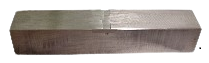
Step 1: Select Sample
Step 2: Adjust machine and place the sample
- Drag the sample into the machine.
Step 3: Start the test.
- Click below buttons to start the machine.
Step 3.1: Take gauge length of the sample
Length: mm
Step 3.2: Take the width of the sample
Width: mm
Step 3.3: Take the Thickness of the sample
Thickness: mm
Step 4: Place sample on UTM machine.
- Place the sample on the machine.
- You can adjust zoom level also.
Step 5: Test for different rolling percentage.
- Click below buttons to start the machine.
| Strain | Stress(MPa) |
Step 6: Results
Step 7: Activity
Click next button to continue.